Android Install Guide
Two steps to handle prompts on Chinese-market Android phones
When installing the AIHEY APK on Chinese-market Android phones (OPPO / Xiaomi / vivo / Huawei, etc.), the system may show multiple confirmation dialogs. This is the standard flow for self-distributed APKs in China — follow the two steps below to install.
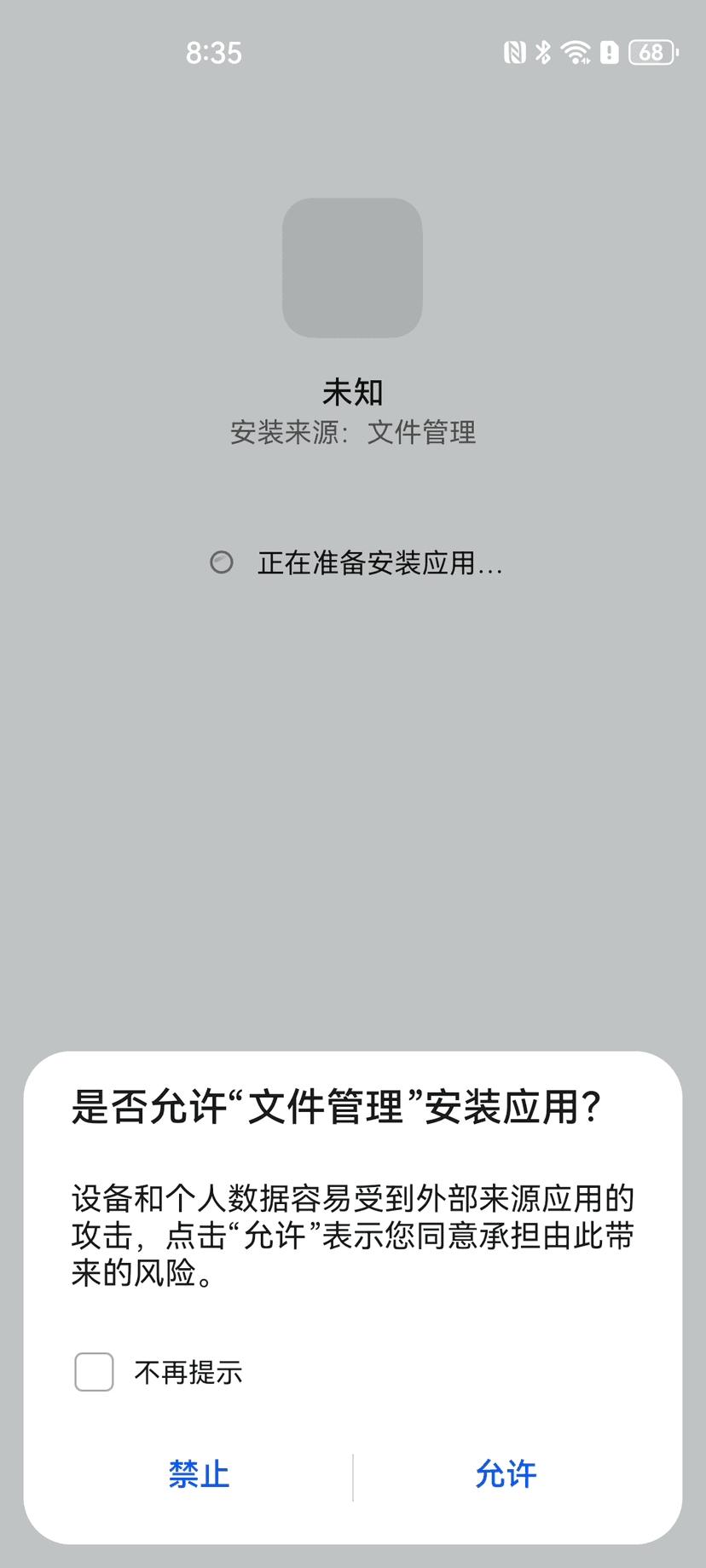
Step 1: Allow install source
The first time you install an APK via a file manager, browser, or cloud drive, Android shows the "Allow 'Files' to install apps?" dialog asking whether to trust the current install source. Tap "Allow" to continue.
Step 2: Acknowledge and continue
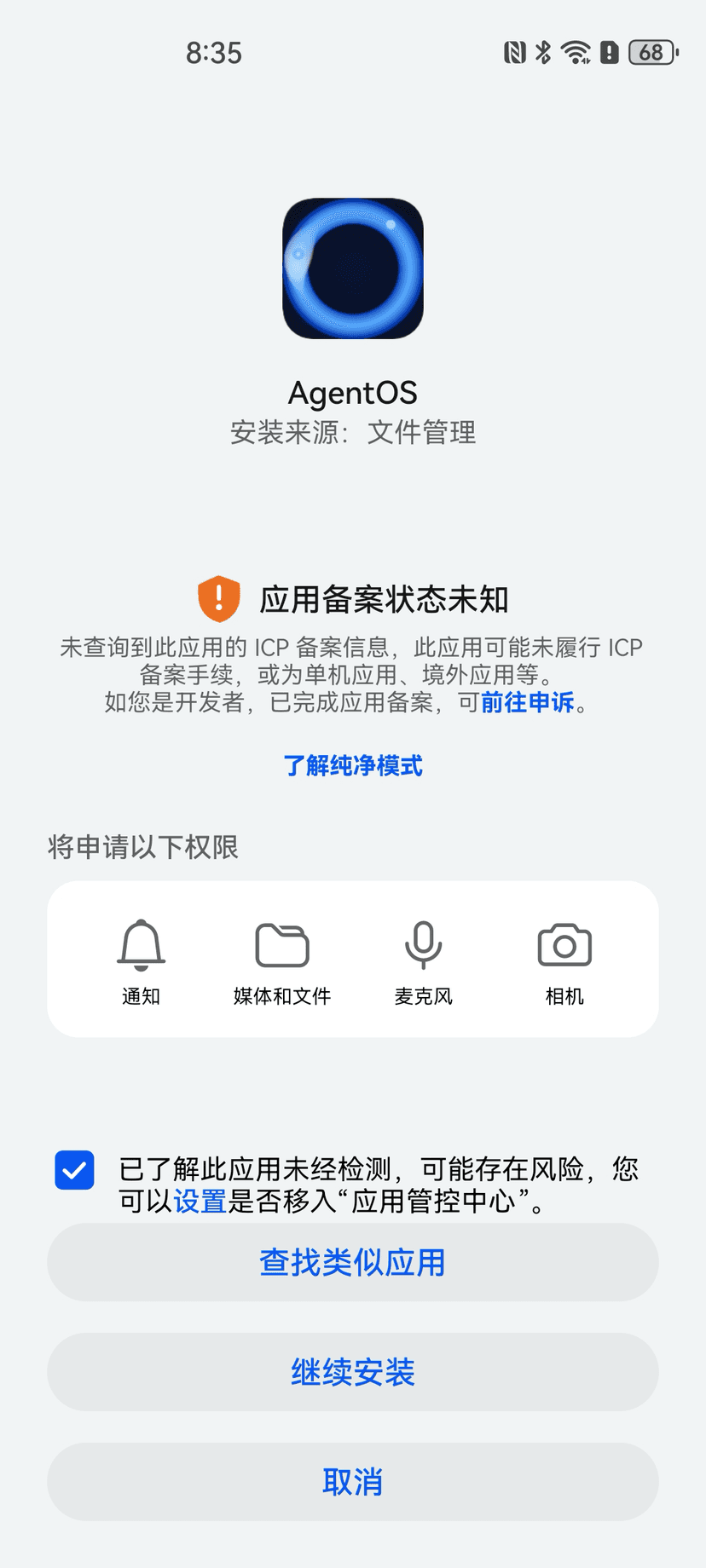
On the install preview screen, some Chinese-market phones add an orange warning for self-distributed APKs. Tick "I understand this app may be untested and pose risks" at the bottom, then tap "Continue installing".
Why do these prompts appear?
From Android 8 onward, there's no global "allow unknown sources" toggle. The system asks per install whether you trust the current source (file manager / browser / cloud drive). This is global Android standard behavior.
Some Chinese-market phone ROMs add an extra orange warning on top of this for self-distributed APKs — just follow the steps above to tick the acknowledgement and continue.
Our safety practices:
- •APKs are only distributed via the official site (www.tybbtech.com)
- •Source code is hosted in a public GitHub repository (tiantianlaolao/agentos) — open and auditable